Kilo Code
Kilo Code is the open source AI coding agent for VS Code, JetBrains, and your CLI. Official site: kilo.ai
1.1 Usage
Method 1: UI Configuration for VSCode Extensions
- Open Kilo Code settings.
- Go to
Providers.
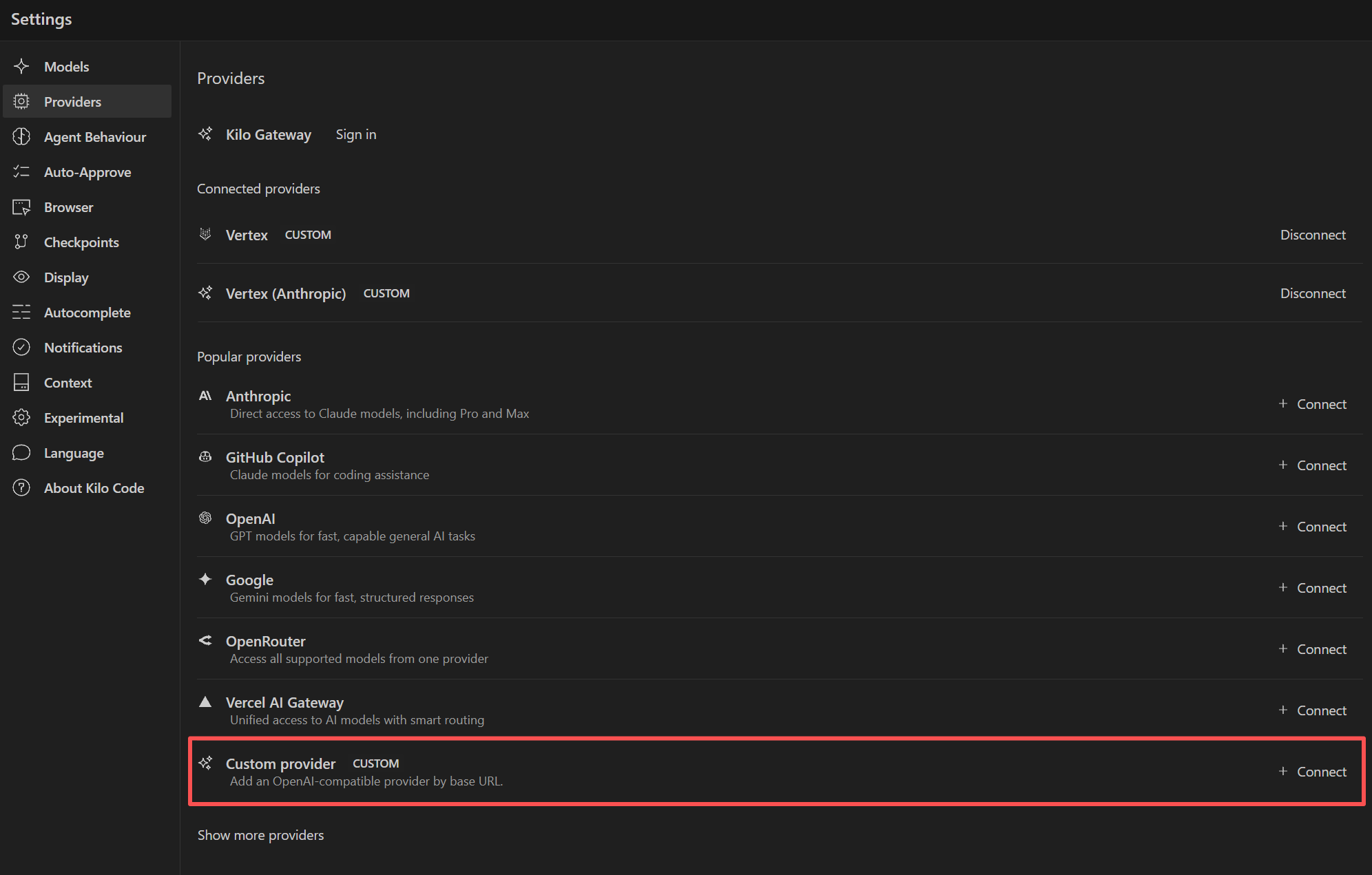
- Select
OpenAI Compatible. - Enter:
Base URL:https://api.hpc-ai.com/inference/v1API Key:your-hpc-ai-api-keyModel:moonshotai/kimi-k2.7-code
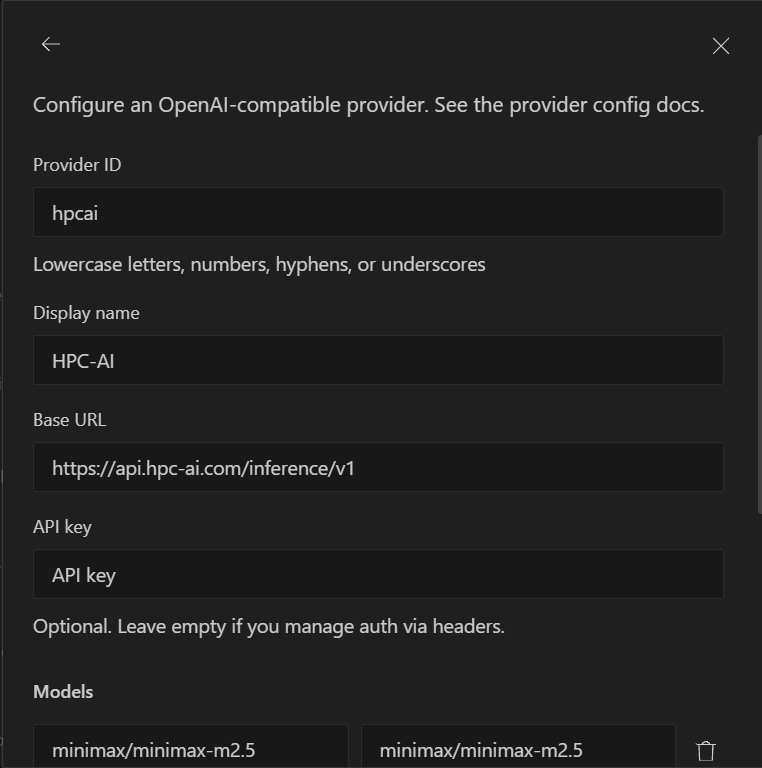
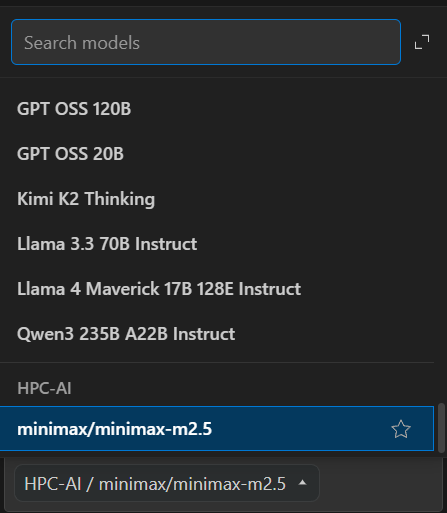
- Save the configuration and run a test request.
Method 2: Config File for Kilo Code CLI
Install Kilo CLI first:
npm install -g @kilocode/cli
Create ./opencode.json in your project root, or create a global config at ~/.config/kilo/opencode.json:
{
  "$schema": "https://app.kilo.ai/config.json",
  "model": "hpc-ai/moonshotai/kimi-k2.7-code",
  "provider": {
    "hpc-ai": {
      "npm": "@ai-sdk/openai-compatible",
      "name": "HPC-AI",
      "options": {
        "baseURL": "https://api.hpc-ai.com/inference/v1",
        "apiKey": "{env:HPC_AI_API_KEY}"
      },
      "models": {
        "moonshotai/kimi-k2.7-code": {
          "name": "HPC-AI Minimax M2.5",
          "tool_call": true,
          "limit": {
            "context": 128000,
            "output": 8192
          }
        }
      }
    }
  }
}
Then run Kilo CLI from the same project:
export HPC_AI_API_KEY="your-hpc-ai-api-key"

kilo -m hpc-ai/moonshotai/kimi-k2.7-code